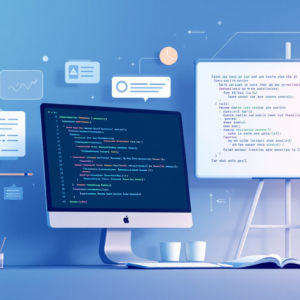
Adobe DPS Adding Content From HTML and WordPress
Digital publishing workflows demand speed—and Adobe DPS bridges the gap between your web content and professional publications. This focused course shows you exactly how to pull HTML and WordPress content into DPS, eliminating manual re-entry and keeping your publishing pipeline lean.
AIU.ac Verdict: Ideal for digital publishers, web developers, and content managers who need to repurpose existing web assets into Adobe DPS publications without rebuilding from scratch. The 46-minute format is punchy, but assumes you’re already comfortable with Adobe DPS fundamentals.
What This Course Covers
You’ll learn the mechanics of importing HTML content directly into Adobe DPS, including structuring markup for seamless integration and troubleshooting common formatting issues. The course covers WordPress-specific workflows—pulling published posts, managing metadata, and preserving styling during the transition from web to print-ready digital editions.
Practical focus: setting up content feeds, automating repetitive imports, and maintaining quality control when syncing live web content with your DPS projects. By the end, you’ll confidently move between your CMS and Adobe DPS without losing formatting or spending hours on manual adjustments.
Who Is This Course For?
Ideal for:
- Digital publishers: Need to repurpose WordPress blogs and HTML pages into polished digital editions without rebuilding layouts manually.
- Web-to-print workflow managers: Responsible for bridging content silos between web platforms and Adobe DPS publication systems.
- Content-heavy marketers: Publishing multi-format content (web, email, digital magazines) and want to automate the DPS integration step.
May not suit:
- Adobe DPS beginners: This assumes prior familiarity with DPS interface and core publishing concepts; start with foundational DPS courses first.
- Print-only publishers: If you’re not using WordPress or HTML-based content sources, the workflow won’t apply to your pipeline.
Frequently Asked Questions
How long does Adobe DPS Adding Content From HTML and WordPress take?
46 minutes. It’s a focused, practical course designed to fit into a working day—ideal for busy teams who need quick upskilling.
Do I need Adobe DPS experience before starting?
Yes. This course assumes you’re already familiar with DPS basics. If you’re new to DPS, complete a foundational course first.
Will this work if I use a different CMS?
The HTML import principles apply broadly, but WordPress-specific features won’t be relevant. The core HTML integration techniques transfer to other platforms.
Who is Pariah Burke?
An expert Pluralsight instructor. Pluralsight accepts only 5.5% of applicants as course authors, ensuring you’re learning from vetted professionals.
Course by Pariah Burke on Pluralsight. Duration: 0h 46m. Last verified by AIU.ac: March 2026.